


Video Maker
4.843.17K Reviews
App Specs
- Version
- 1.621.196
- Updated On
- License
- Free
- Downloads
- 100,000,000+
- Developer
- InShot Video Editor
- Categories
- Video Players & Editors
- Platform
- Android
Screenshots
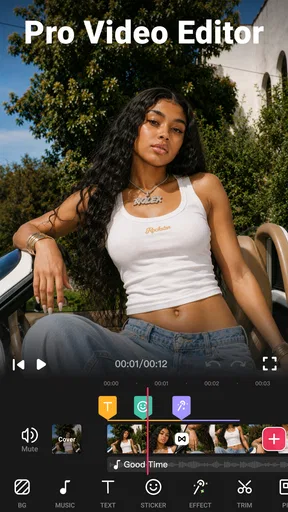
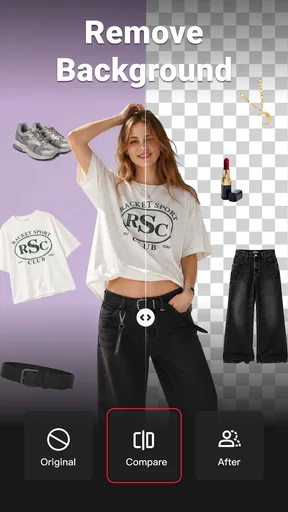
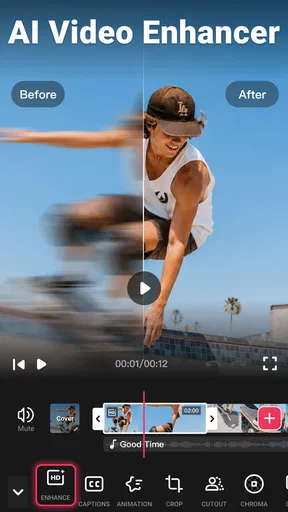
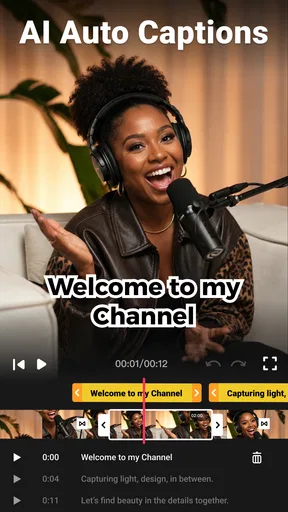
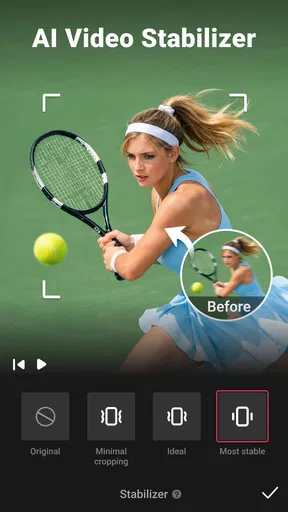
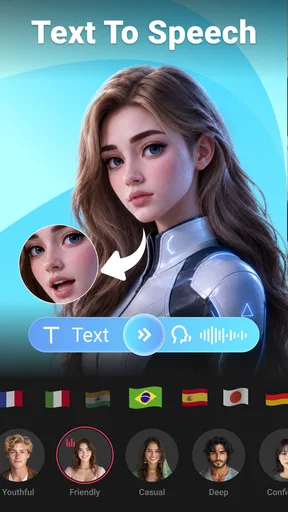
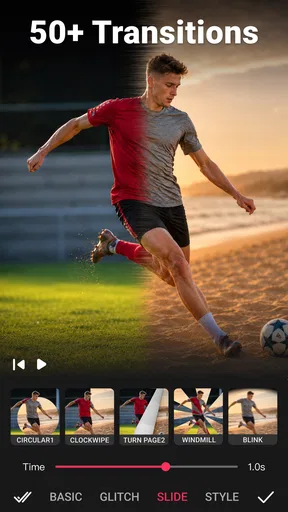
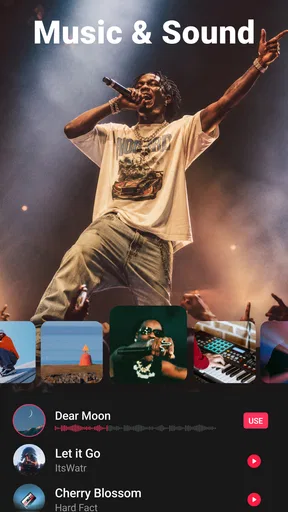
 Analysis by AppCompare
What I value most in a mobile editor is not the longest tool list; it’s a workflow I can repeat without turning a quick clip into a chore. Video Maker is aimed at that practical middle ground: it gives me familiar ways to trim, arrange, decorate, and finish short videos, while keeping the controls approachable. I’d consider it for social posts, family moments, or a simple montage, especially when I want to work on my phone rather than move footage to a computer.
A sensible routine from clips to a finished video
I get the most out of an editor like this when I decide on the shape of the video before adding decorations. I start by choosing the clips that actually support the story, then trim away the waiting, shaky starts, and repeated moments. After that, I put the strongest shot near the beginning, arrange the rest in a clear order, and only then add music, text, or effects. That sequence makes revisions easier: if I change the clip order late, I’m less likely to have to redo timing and captions.
For a realistic everyday example, imagine making a short recap of a weekend walk. I would keep a few distinct moments—a view, a detail, and a clip of the people I went with—rather than include every recording. A quick speed adjustment can help a slow stretch feel less static, while a restrained transition can make the change of scene feel intentional. A short title can establish where the video is, but I would keep it brief so it does not compete with the footage.
Guides and Analysis on Video Maker
This is where the app’s combination of basic edits and creative additions is useful. Trimming, splitting, and merging handle the structure; transitions, filters, and effects give the finished piece a consistent feel. Text and stickers can add context or personality, but I find they work best when they serve a purpose rather than fill empty space. The practical advantage is that I can build a complete social clip in one place instead of juggling separate apps for cutting, captions, and sound.
Settings and small decisions worth checking
Before spending time on polish, I would check the project from beginning to end with the sound on. Music can make a montage feel connected, but it can also overpower speech or the natural audio that makes a moment feel real. If a clip has useful voices or ambient sound, I would listen carefully before laying a track over it. When the music is the main point, I would choose a track that fits the mood and keep the visuals simple enough to let the rhythm carry the edit.
Text deserves a similar final check. A caption that looks readable on the editing screen may feel crowded when viewed on a phone, especially over a detailed background. I keep wording short, leave breathing room around it, and preview the clip at normal playback speed rather than judging each frame while paused. That habit catches awkward timing and text that appears too briefly to read.
Video Maker is free to download, and its in-app purchases range from $2.99 to $59.99 per item. I would explore the tools I need before deciding whether to pay for anything; the purchase range makes it sensible to check the exact item and terms shown in the app rather than assume every feature belongs to one upgrade. The app is for everyone, and its developer is InShot Video Editor. It has a 4.8 average from around three million ratings, with over 100 million installs, so it is clearly a familiar choice for mobile editing, though popularity alone cannot tell me whether its workflow suits my own habits.
Worth Reading Before You Choose

Ludo King Makes the Most of the Minutes Between Plans

Baby Panda World Brings Quick Play to Modern Phones, but Its Game Library Feels Busy

ESPN’s Live Game View Makes Following Close Games Easier

QuizzLand Review: A Good Fit for Short Trivia Breaks, Not Every Player

Basketball Stars: Multiplayer Is Fast, but Can It Recover When Matches Go Wrong?

WEBTOON Turns Phone Updates Into a Better Reading Routine
Where it fits—and where I would choose something else
Compared with a basic gallery editor, Video Maker is more useful when I want several clips in one sequence and want to shape the result with music, text, transitions, or effects. Compared with a full desktop timeline editor, it is a more immediate option for quick social videos, but I would not choose a phone-first tool for intricate, long-form work that depends on detailed control over many layers. The trade-off is straightforward: convenience and a friendly learning curve matter more here than a complex production environment.
I would recommend it to someone who posts occasional reels or short updates and wants more control than a one-tap template provides. It also suits a beginner willing to learn by making small projects: try a short sequence, change one element at a time, and watch how each choice affects the result. Someone who edits professionally, needs a tightly managed multi-track workflow, or dislikes adjusting projects on a small screen may be happier with a desktop editor or a more specialized tool.
Habits that make repeat edits quicker
For repeatable work, I would settle on a simple visual recipe: similar clip lengths, one or two transition styles, a consistent text treatment, and music that supports rather than dominates. This is not a hidden preset or a special shortcut; it is a personal checklist that avoids making every new video from scratch. If I am making several clips from the same event, keeping those choices consistent gives them a shared look without forcing every scene to behave identically.
I also find it useful to make a rough version before trying lots of effects. First I check that the story makes sense with plain cuts; then I add only the effects that solve a real problem, such as making a jump between scenes feel less abrupt. If an effect draws attention away from the moment, I remove it. That small discipline saves time and keeps the finished video from feeling like a tour of the app’s options.
What to expect from a phone editor
The app’s current version is 1.601.190 and it requires Android 8.0 or later. Those details matter if you are checking compatibility before installing, but the more important practical question is whether your phone is comfortable for previewing and adjusting clips. Screen size, available storage, and the number or length of source clips can affect how pleasant a project feels, so I would begin with a small edit before committing a large batch of footage.
I would also separate editing from final review. While working, it is tempting to judge a transition or caption in isolation, but the finished sequence needs to make sense as a whole. I watch once for pacing, once for text and visual clutter, and once with attention on the audio. That is a more dependable check than adding another effect simply because it is available, and it helps me spot a quiet problem such as a clip that lingers after its point has been made.
Getting Started with Video Maker
First things first, downloading and setting up Video Maker is a breeze. Available on both Android and iOS, it’s just a quick click away from your app store. Once installed, you'll be greeted by a clean and intuitive interface that doesn’t overwhelm you with options—perfect for those who want to get started right away.
As soon as you open the app, you’ll notice how user-friendly it is. The layout is straightforward, with all the essential tools easily accessible. It's like having a mini editing studio in your pocket. If you’re familiar with any desktop editing software, you’ll feel right at home here.
Features That Stand Out
Now, let's talk about what makes Video Maker stand out from the crowd. The app comes loaded with a plethora of features that cater to both beginners and advanced users.
- Editing Tools: You get all the basic editing tools such as trimming, splitting, and merging video clips. Plus, the app offers advanced options like speed adjustment and transitions that are surprisingly robust for a mobile app.
- Filters and Effects: Add some flair to your videos with a wide range of filters and effects. Whether you’re looking for something subtle or bold, there’s something for every mood.
- Music and Sound Effects: No video is complete without the right soundtrack. Video Maker provides a decent library of royalty-free music and sound effects, or you can upload your own tracks to give your videos a personal touch.
- Text and Stickers: Want to add some personality to your clips? The app has you covered with a variety of fonts, text styles, and stickers to make your videos pop.
Performance and Usability
Performance-wise, Video Maker runs smoothly on most devices. I tested it on both a mid-range Android phone and an iPhone, and it handled my projects without any hiccups. The rendering speed is impressive, which means you won’t be waiting forever to see your final product.
The usability is top-notch, especially for those who might not be tech-savvy. The app guides you through each step, and if you ever get stuck, there’s a handy tutorial section to help you out. It’s like having a personal video editing assistant right in your pocket.
Final Thoughts
All in all, Video Maker is a fantastic app for anyone interested in video editing, whether you're making fun clips for social media or putting together a more professional project. It strikes a nice balance between simplicity and functionality, making it accessible to everyone.
So, if you're looking to unleash your creativity and make some stunning videos on the go, give Video Maker a try. With its powerful features and easy-to-use interface, you’ll be crafting cinematic masterpieces in no time.
Pros
- Intuitive user interface for beginners.
- Wide range of editing tools available.
- Supports high-quality video exports.
- Includes numerous filters and effects.
- Allows easy social media sharing.
Cons
- In-app purchases can be pricey.
- Occasional lag on older devices.
- Limited music library options.
- Ads may disrupt editing process.
- Requires internet for some features.
FAQs for Video Maker
What features does the Video Maker app offer?
The Video Maker app provides a suite of powerful tools for video editing, including trimming, merging, and adding music or sound effects. Users can also apply filters and transitions, customize text overlays, and export videos in high definition. The app supports multiple video formats, ensuring flexibility for various projects.
Is the Video Maker app free to use?
The Video Maker app offers a free version with basic features, allowing users to create and edit videos without cost. However, advanced features such as premium filters, watermark removal, and additional export options are available through in-app purchases or a subscription model, providing a more comprehensive editing experience.
Does the Video Maker app support multiple languages?
Yes, the Video Maker app supports multiple languages to cater to a global audience. Users can easily switch between languages in the app settings, making it accessible for non-English speakers. This feature is particularly useful for international users who want to enjoy the app in their native language.
How user-friendly is the Video Maker app for beginners?
The Video Maker app is designed with a user-friendly interface, making it accessible for beginners. It includes intuitive drag-and-drop functionality, easy-to-follow tutorials, and a help section to guide users through the editing process. This ensures that even those new to video editing can create professional-looking videos with ease.
What devices are compatible with the Video Maker app?
The Video Maker app is compatible with both Android and iOS devices, supporting a wide range of smartphones and tablets. Users should ensure their device meets the minimum operating system requirements, typically Android 5.0 or iOS 11.0 and above, to ensure optimal performance and access to all features.


